Chatbot

Rename Chatbot
Login with a Facebook account.
Click Dashboard.
On the relevant Bot item, click 3 dots button then select Rename
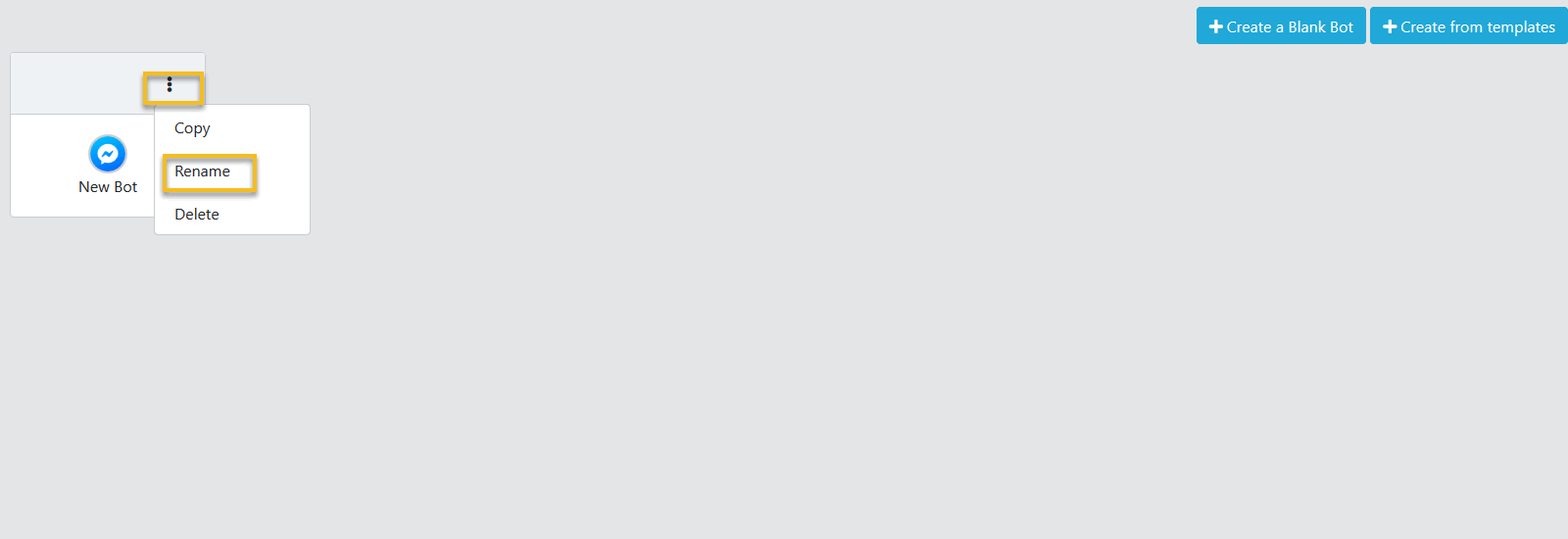
Set your new chatbot name and click Check button to save.
Delete Chatbot
Login with a Facebook account.
Click Dashboard.
On the relevant Bot item, click 3 dots button then select Delete
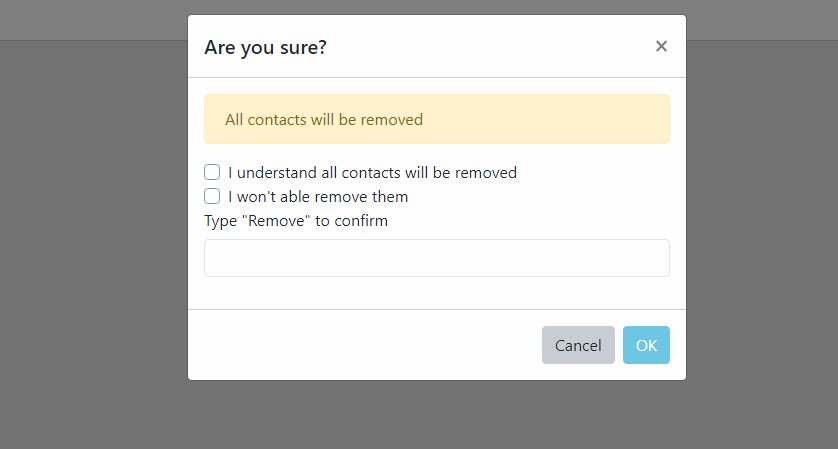
In the Confirm dialog, choose OK.
Connect Chatbot to a Facebook page
Login with a Facebook account.
Click Dashboard.
Click to a relevant Bot item to open Bot Dashboard.
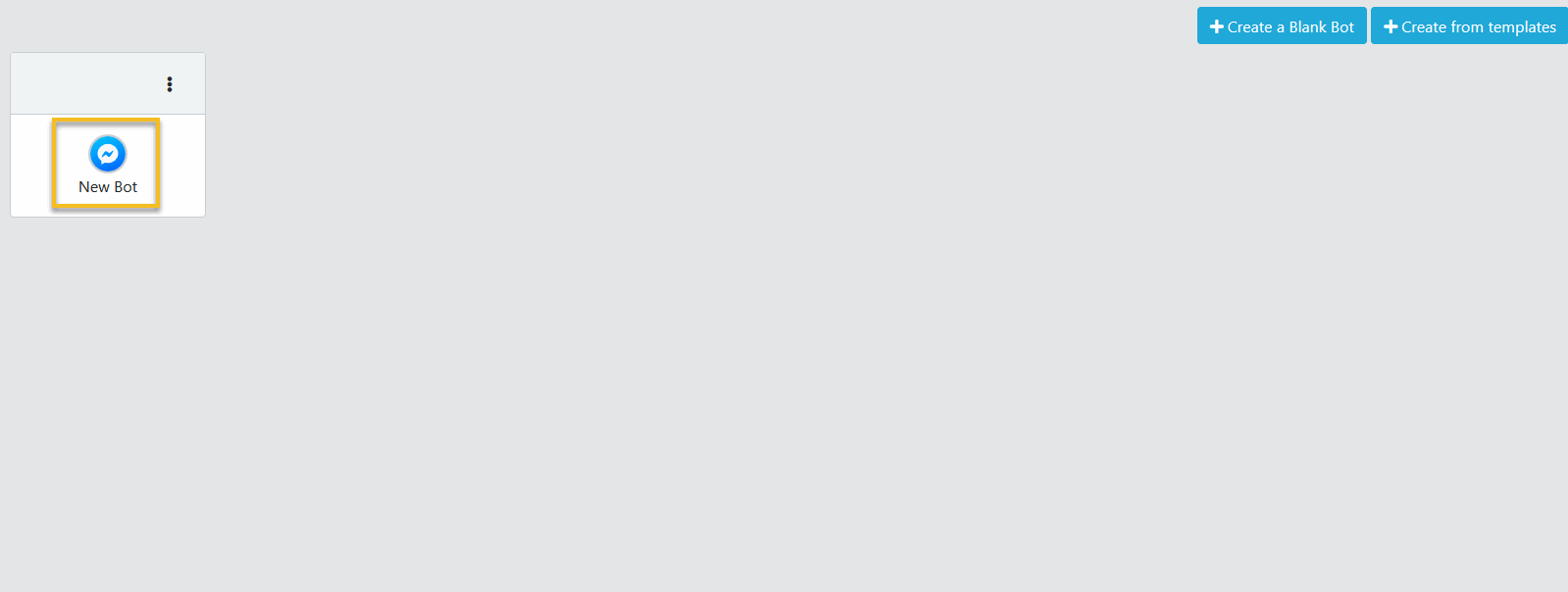
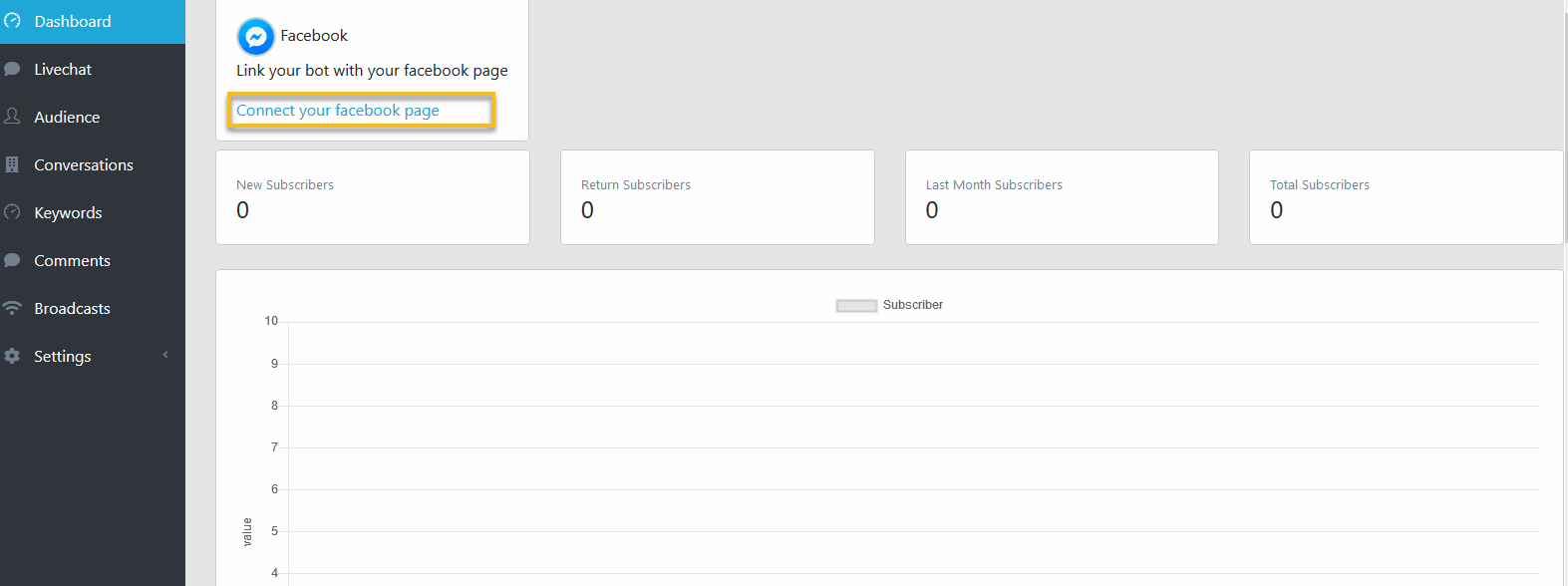
In the Bot Dashboard page, click Connect to a facebook page.
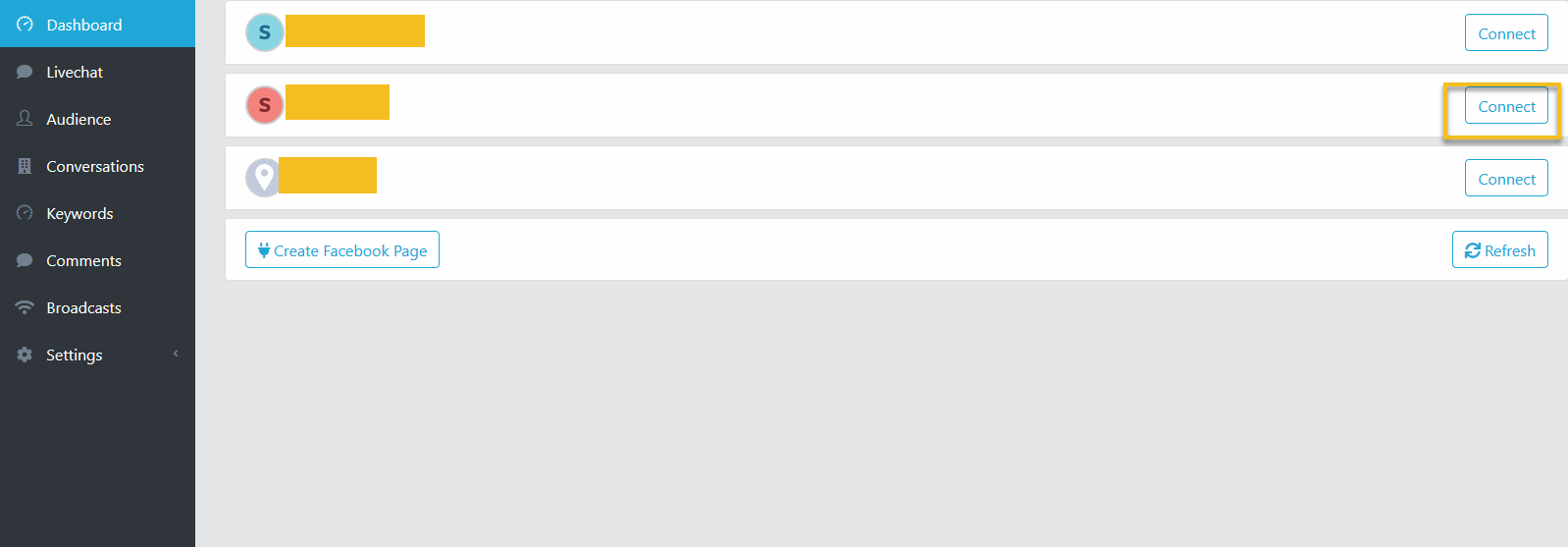
Next page, select a relavant Facebook page, click Connect
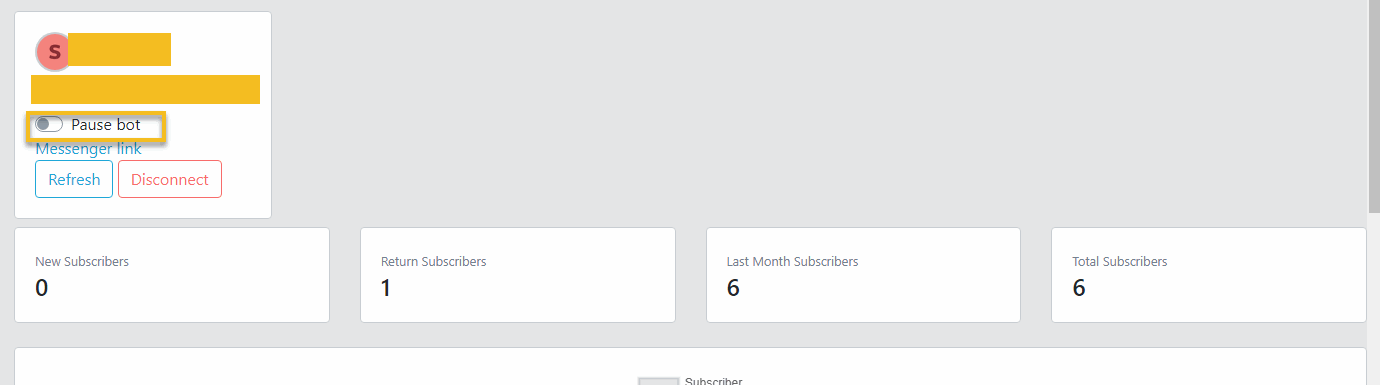
Pause Chatbot
Login with a Facebook account.
Click Dashboard.
Click to a relevant Bot item to open Bot Dashboard.
Switch the Pause bot checkbox to true.