Paypal
Create Paypal Application
Go to PayPal’s Developer site at https://developer.paypal.com/ and login with your PayPal business account email and password.
Click on My Apps & Credentials
To create a new app, click the Create App button.
Add an App Name, select a sandbox account from Sandbox Business Account, and then click on Create App.
Get PayPal App Client ID and Secret
Configuration Paypal App
Login to Admin->Settings->Email, fill this form with your email credentials.
Fill the Paypal App Client Id and Secret and click Save.
Configuration Paypal Product
After setting Client Id and Secret, Click Manage Product.
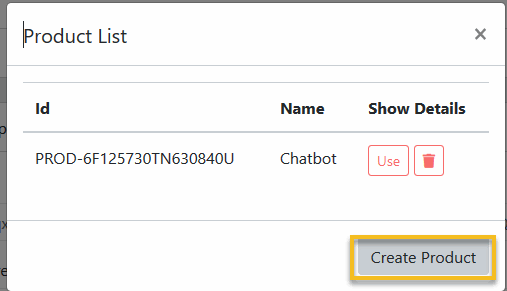
Click Create Product.
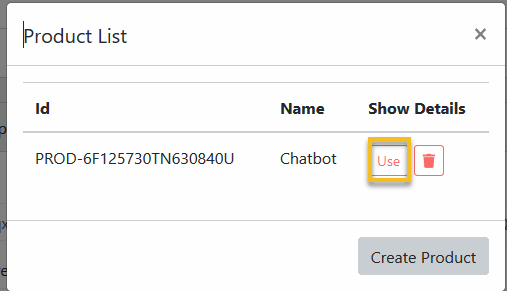
Click Use on the created product.
The Product List dialog will close, in the Stripe settings form, Click Save
Configuration Paypal Webhook
After setting Client Id and Secret, Click Manage Webhook.
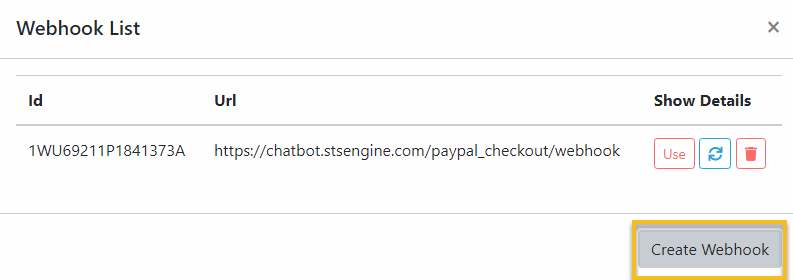
Click Create Webhook.
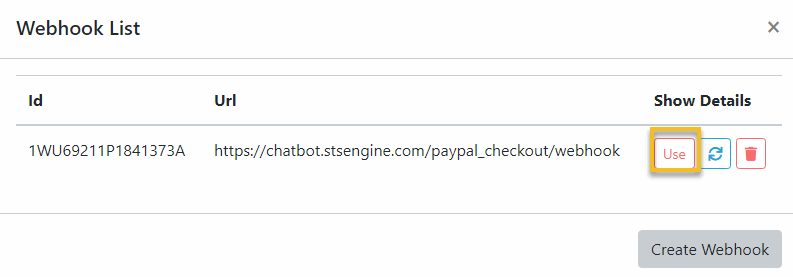
Click Use on the created webhook.
The Webhook List dialog will close, in the Stripe settings form, Click Save